
How To Reset Spotify Password From Phone/PC?
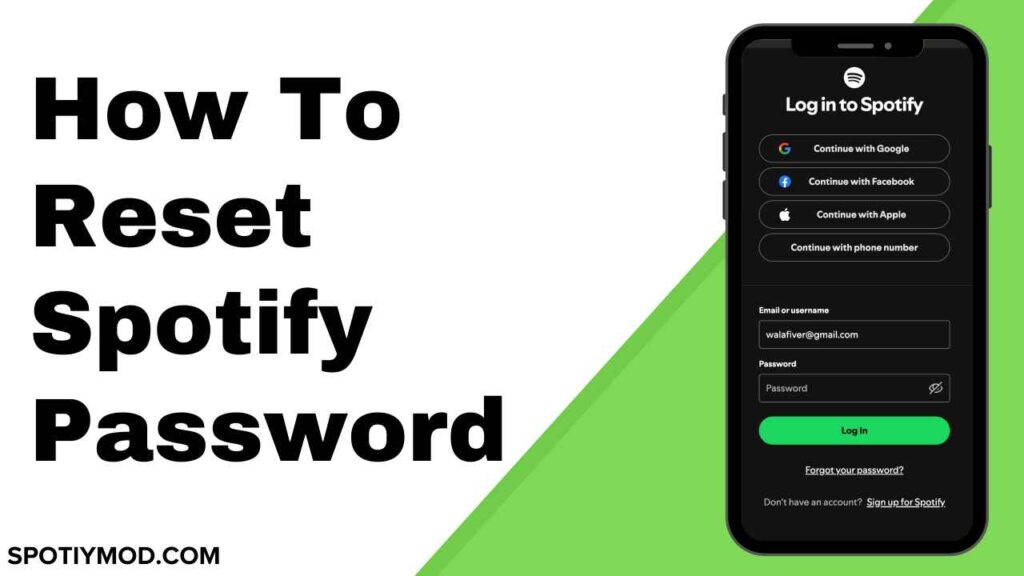
With over 620 million users, including over 240 million paid users, Spotify leads the way in music streaming services. Even to access the free service, a user needs to register with Spotify. What if a user has forgotten his Spotify password? Although most of us do not like it, sometimes we are forced to reset the password and here are the steps to reset Spotify’s password.
Before we begin, let’s realize that a Spotify password can be reset only through an internet browser. It cannot be reset in the mobile or desktop apps. Anchor, a podcast app, is now owned by Spotify, and all accounts are transferred to Spotify. You have to use the official Spotify website to change your password.
Steps to Reset Spotify Password
Changing passwords regularly is a good habit because it keeps your account safe and secure. However, always make sure that you have set a strong password which is hard to guess by anyone. Here is a detailed guide to changing Spotify passwords with ease.
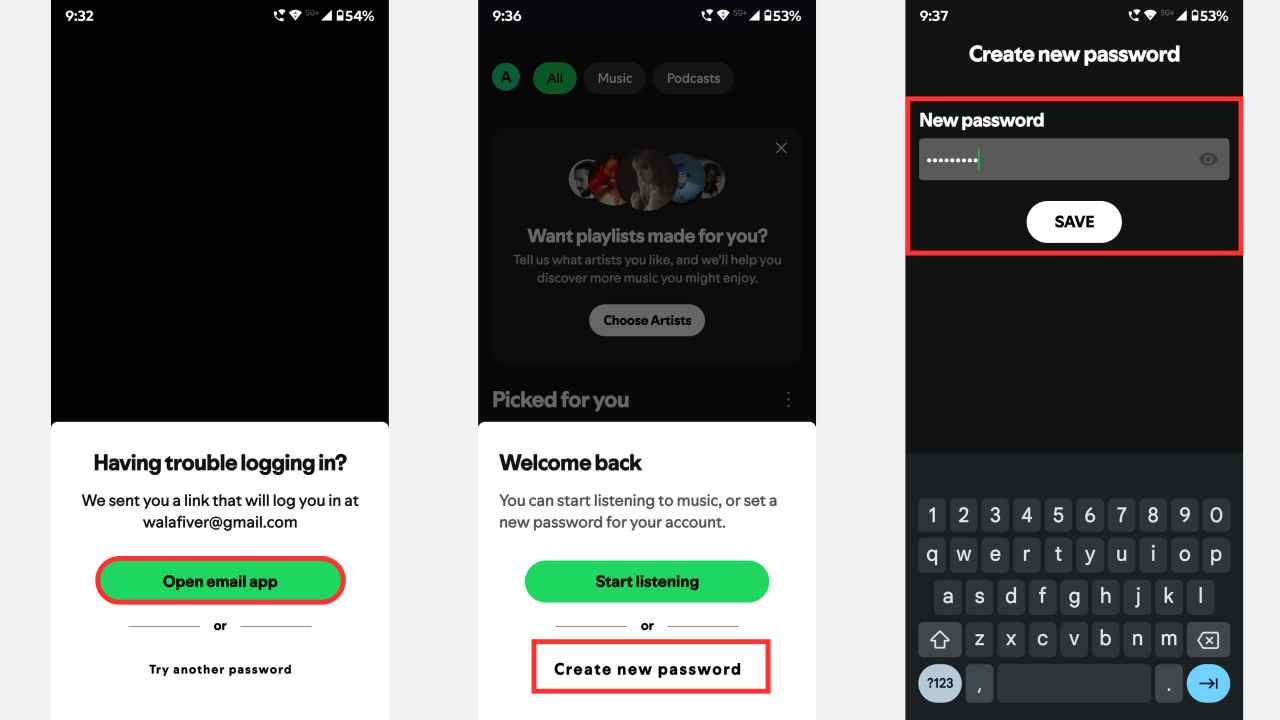
How to Reset Password on Spotify (Using Phone)
- Open Spotify app on your phone or PC
- Select Login button and enter the email and password
- Try multiple times but al the attempts are wrong then a popup will appear on the screen that says a link to your email to easily login to spotify.
- Tap on the link in your email address and Spotify will be login but an option will appear on the screen to create a new password so tap on it.
- Enter New Password and tap on the Save button to chang the password.
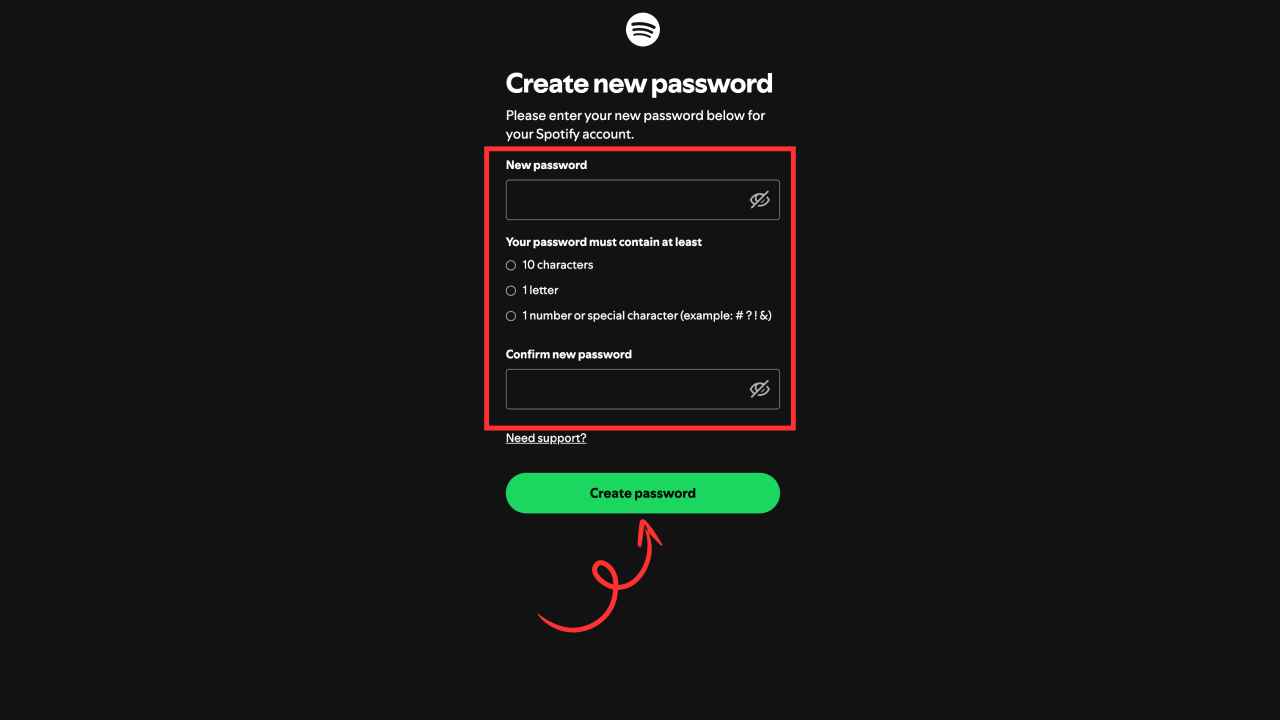
How to Reset Spotify Password (Using Desktop)
- Open a web browser and search ‘Spotify’ then visit the official website of Spotify.
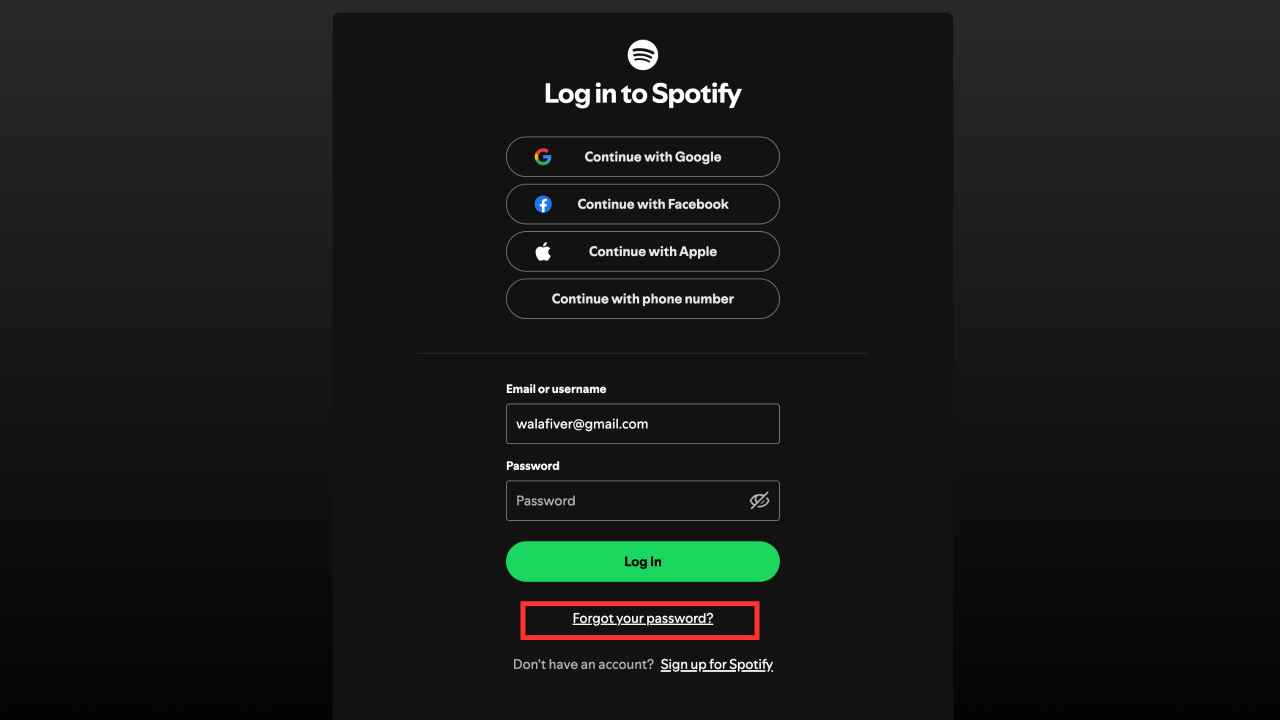
- Click on the Login button on the top right corner
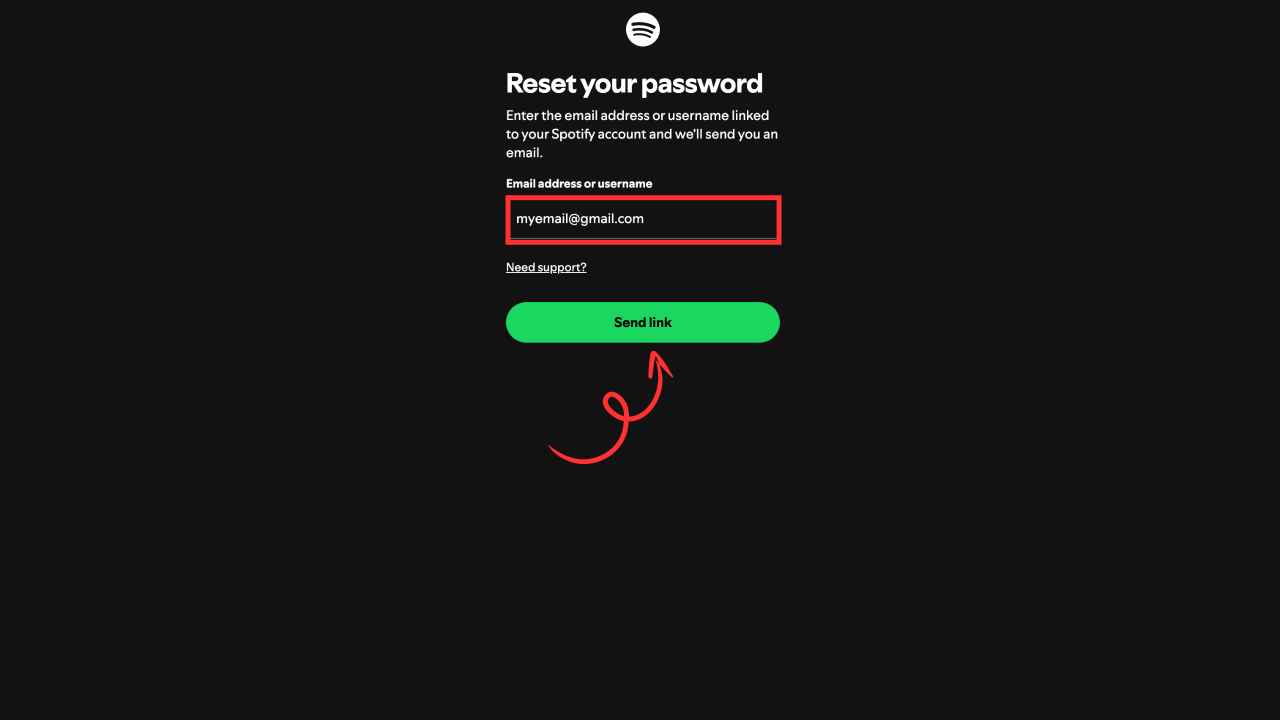
- Tap on the ‘Forgot your password?’ button and enter the registered email address
- Check the inbox of the registered email.
- If not found in your inbox, go to the Spam, Junk, or Social of the same email account.
- Find an email from no-reply@spotify.com or any other similar account ending with @spotify.com
- Inside the mail, there will be a link to reset the password.
- The link will direct the user to the reset password page, where the user must enter the password twice. Ensure both passwords match in every case.
- Click the green colored Send button below to confirm the password reset.
- Now, the same password can be used to log in to Spotify mobile app or desktop app.
Users with Accounts registered in Anchor
- Open Spotify for podcasters on the internet browser or mobile app.
- Go to the login screen
- Click on Forgot Password
- Type the same email you have used to register with Spotify
- If you have registered using a Facebook or Twitter account, use the particular email to recover your password.
- Hit the Reset Password button.
- Enter a new password and confirm it by retyping the password then click on the change button to reset it.
Want to change an existing Spotify password?
You know the password but wish to change it for security reasons. Here is the way to change the password.
- Log in to the Spotify Account
- Click the profile picture on the right corner
- Click the Account
- A new window will appear, and click the Change Password option
- Enter the current password, without which you can’t reset the password.
- Enter the new password twice in the provided space
- Click Set a new password.
What if the email has not come?
- In most cases, the user must have entered the wrong email ID.
- If the email entered is exactly the one used at the time of registration, check the emails in the Spam, Junk, or Social folders.
- If you still did receive the email then wait and try again after a few hours because this problem may happened due to server issues or system glitches.
Conclusion
Spotify is well known for its large variety of song collections, which other streaming apps can’t offer. The app provides its best even for users with free accounts. The ads appear at a lesser frequency, even for free accounts, which is one of the best features of this platform. To serve its customers well, the app enforces registration even for free accounts. A forgotten password can only be reset through a browser, and the apps do not support such an option, even for premium accounts. Mentioned above is the detailed explanation about resetting the Spotify Password and I hope it was helpful to you. Thanks for reading!
Share Your Thoughts